
What is a Profibus Gateway and Why Do You Need One?
A Profibus Gateway acts as a communication bridge between Profibus-based devices and modern industrial protocols such as Ethernet/IP, Modbus TCP, Profinet, OPC UA, and MQTT. It enables seamless data exchange between legacy fieldbus equipment and today’s SCADA systems, PLCs, and IIoT platforms, helping industries modernize without replacing existing assets.
In many factories, Profibus networks still power critical equipment like drives, sensors, remote I/O modules, and distributed controllers. A Profibus gateway allows these systems to integrate smoothly with industrial Ethernet networks, ensuring continuous operation while supporting digital transformation initiatives.
Profibus Module -Bridging Legacy Fieldbus with Modern Industrial Network

What we propose to our customers
Request for HART Gateway Quote contact us for sales & Services Request for Quote
01
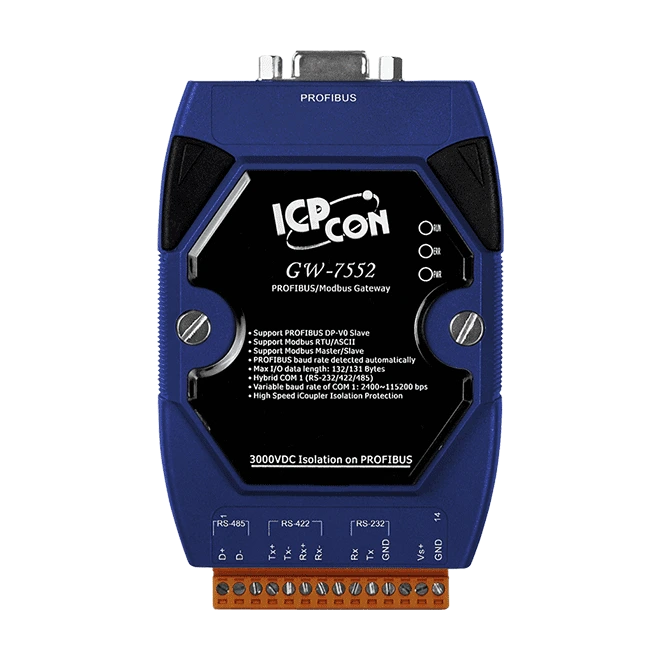
Profibus to Ethernet Gateway
The Profibus to Ethernet gateway is probably the most popular option today. It allows you to integrate legacy Profibus devices into modern Ethernet-based networks. This is particularly useful when you're upgrading parts of your system but want to keep existing Profibus equipment running.
02
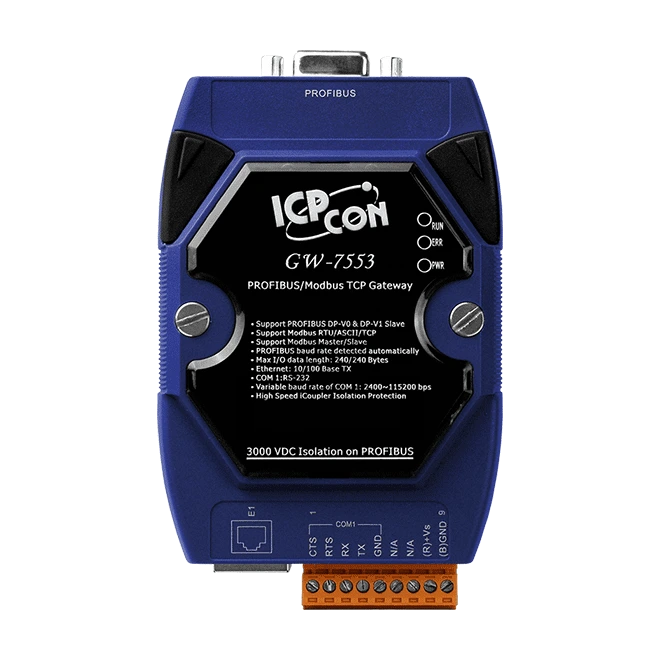
Profibus to Modbus Gateway
A Profibus Modbus gateway enables seamless communication between Profibus networks and Modbus devices. Since Modbus is still incredibly common in industrial automation, this type of protocol converter solves a lot of integration problems.
03
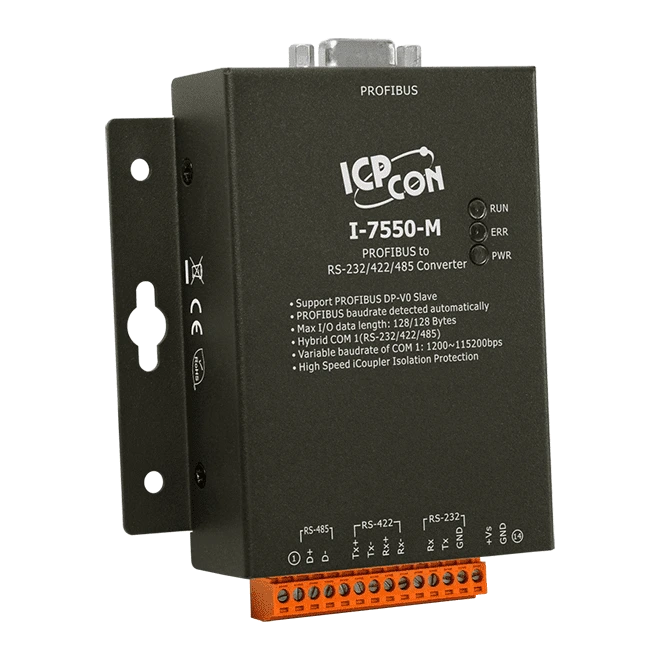
Profibus DP Gateway
When working specifically with Profibus DP (Decentralized Periphery), you'll want a gateway that's optimized for this faster, deterministic communication variant. A Profibus DP gateway ensures high-speed data exchange between field devices and your control systems.
Choosing the Right Industrial Communication Gateway
Data throughput requirements
How much information needs to pass through the gateway? High-speed applications need gateways with better processing power.
Number of nodes
How many Profibus devices will connect through the gateway? Make sure it supports your network size.
Protocol support
Double-check that it supports the specific fieldbus protocol variants you're using. Profibus PA and Profibus DP have different requirements.
Configuration flexibility
Look for gateways with user-friendly configuration tools. The easier it is to set up mapping between protocols, the faster you'll be operational.
Profibus Gateway for Industrial Digital Transformation
As industries move toward Industry 4.0 and smart manufacturing, Profibus gateways play a key role in preserving existing investments while enabling advanced analytics and remote access. Instead of replacing costly Profibus equipment, companies can use gateways to connect legacy networks to IIoT connectivity solutions.
This approach reduces downtime, lowers upgrade costs, and supports predictive maintenance and condition-based monitoring.
About our Product line

GW-7552B
PROFIBUS to Modbus RTU/ASCII Gateway
The GW-7552 Gateway is specially designed for the slave device of PROFIBUS DP protocol. It allows the PROFIBUS master to access the Modbus devices. These Modbus devices may be a PLC, a sensor, ICPDAS M-7000 series modules and so forth. In addition, we also provide the utility software for users to configure the GW-7552. By using this module, users can put their Modbus devices into PROFIBUS network very easily.
- Protocol & Hierarchy : DP-V0 Slave
- Transmission Rate Setting : detected automatically
- Max Input Data Length : 132 Bytes
- Max Output Data Length : 131 Bytes
- Address Setting : 0~126 set by DIP switch
- Supports Modbus Mode : Master/Slave
- Supports Modbus Format : RTU/ASCII
- Hybrid COM 1 : RS-232/422/485 with “Self Tuner” inside
- Supports COM 1 Data Format : 7/8 data bits, No/Odd/Even parity, 1/2 stop bit
- Network Isolation Protection : High Speed iCoupler
- DC Isolation Protection : 3000VDC on PROFIBUS side
Application:


GW-7553B
PROFIBUS to Modbus TCP Gateway
The GW-7553 Gateway is specially designed for the slave device of PROFIBUS DP protocol. It allows the PROFIBUS master to access the Modbus TCP devices. These Modbus devices may be a PLC, a sensor, the ICPDAS I-8KE4-MTCP module and so forth. In addition, the GW-7553 module built-in web server, the user can set the module by web browser. By using this module, users can put their Modbus TCP devices into PROFIBUS network very easily.
- Protocol & Hierarchy : DP-V0 & DP-V1 Slave
- Transmission Rate Setting : detected automatically
- Max Input Data Length : 240 Bytes
- Max Output Data Length : 240 Bytes
- Address Setting : 0~126 set by DIP switch or EEPROM
- Supports Modbus Mode : Master/Slave
- Supports Modbus Format : RTU/ASCII/TCP
- Supports COM 1 Data Format : 7/8 data bits, No/Odd/Even parity, 1/2 stop bit
- Network Isolation Protection : 2500 Vrms High Speed iCoupler
- DC Isolation Protection : 3000 VDC on PROFIBUS side
Application:


GW-7557B
PROFIBUS to Hart Gateway
The GW-7557 Gateway is specially designed for the slave device of PROFIBUS DP protocol. It allows the PROFIBUS master to access the HART slave devices. These HART slave devices may be a transmitter, an actuator, a current output device and so forth. In addition, we also provide the utility software for users to configure the GW-7557. By using this module, users can put their HART slave devices into PROFIBUS network very easily.
- Protocol & Hierarchy : DP-V0 Slave
- Transmission Rate Setting : detected automatically
- Max Input Data Length : 240 Bytes
- Max Output Data Length : 240 Bytes
- Address Setting : 0~126 set by DIP switch or EEPROM
- Supports HART Mode : point-to-point / multi-drop
- Support HART Master : Allow two HART Masters
- Support HART Channel : 4 channels
- Support HART Frame : Short/Long frame
- Support HART modules : Connecting up to 15 HART modules
- Support HART Burst mode : YES
- Network Isolation Protection : 2500 Vrms High Speed iCoupler
- DC Isolation Protection : 3000 VDC on PROFIBUS side

Application:

I-7550-M
PROFIBUS to RS-232/422/485 Converter
The I-7550 converter is specially designed for the slave device of PROFIBUS DP protocol. It offers RS-232, RS-422, and RS-485 three kinds of communication way. With the Hybrid COM 1 design, users can readily choose one type of com port to use. By using this module, users can put their RS-232/422/485 devices into PROFIBUS network very easily.
- Protocol & Hierarchy : DP-V0 Slave
- Transmission Rate Setting : detected automatically
- Max Input Data Length : 128 Bytes
- Max Output Data Length : 128 Bytes
- Address Setting : 0~126 set by DIP switch
- Hybrid COM 1 : RS-232/422/485 with “Self Tuner” inside
- Supports COM 1 Data Format : 7/8 data bits, No/Odd/Even parity, 1 stop bitNetwork Isolation Protection : High Speed iCoupler
- DC Isolation Protection : 3000VDC on PROFIBUS side

Application:

I-7550E
PROFIBUS to Ethernet Converter
The I-7550E Converter is specially designed for the slave device of PROFIBUS DP protocol. It allows the PROFIBUS master to access any kinds of Ethernet devices supporting TCP/UDP protocol. The I-7550E can be set as TCP/UDP server and client, it's flexible for user to match their requirement. In addition, the I-7550E module built-in web server, the user can set the module by web browser. By using this module, users can put their Ethernet devices into PROFIBUS network very easily.
- Protocol & Hierarchy : DP-V0 Slave
- Transmission Rate Setting : detected automatically
- Max Input Data Length : 240 Bytes
- Max Output Data Length : 240 Bytes
- Address Setting : 0~126 set by DIP switch or EEPROM
- Supports Ethernet Protocol : TCP/UDP Server/Client
- Configuration : Web Configuration
- Network Isolation Protection : 2500 Vrms High Speed iCoupler
- DC Isolation Protection : 3000 VDC on PROFIBUS side
Application:


Profi - 5017/5017C
PROFIBUS Remote I/O Module -
8-channel Isolated Analog Voltage/Current input module
The PROFI-5017 & 5017C is specially designed for the slave device of PROFIBUS DP protocol. It supports up to 8-channel isolated analog voltage or current input with 2500Vrms field to logic isolation. Users can easily to choose and configure it by using the GSD file in any PROFIBUS Configurator.
- Protocol & Hierarchy : DP-V0 Slave
- Transmission Rate Setting : detected automatically
- Address Setting : Address 0~126 set by rotary switches or SSA Telegram
- I/O modules Configuration : Configured by GSD file
- Network Isolation Protection : High Speed iCoupler
- DC Isolation Protection : 3000 VDC on PROFIBUS side
- 4KV ESD Protection : Contact for each terminal
